Common Questions
How do I export my stickers?
1. Go to Gallery
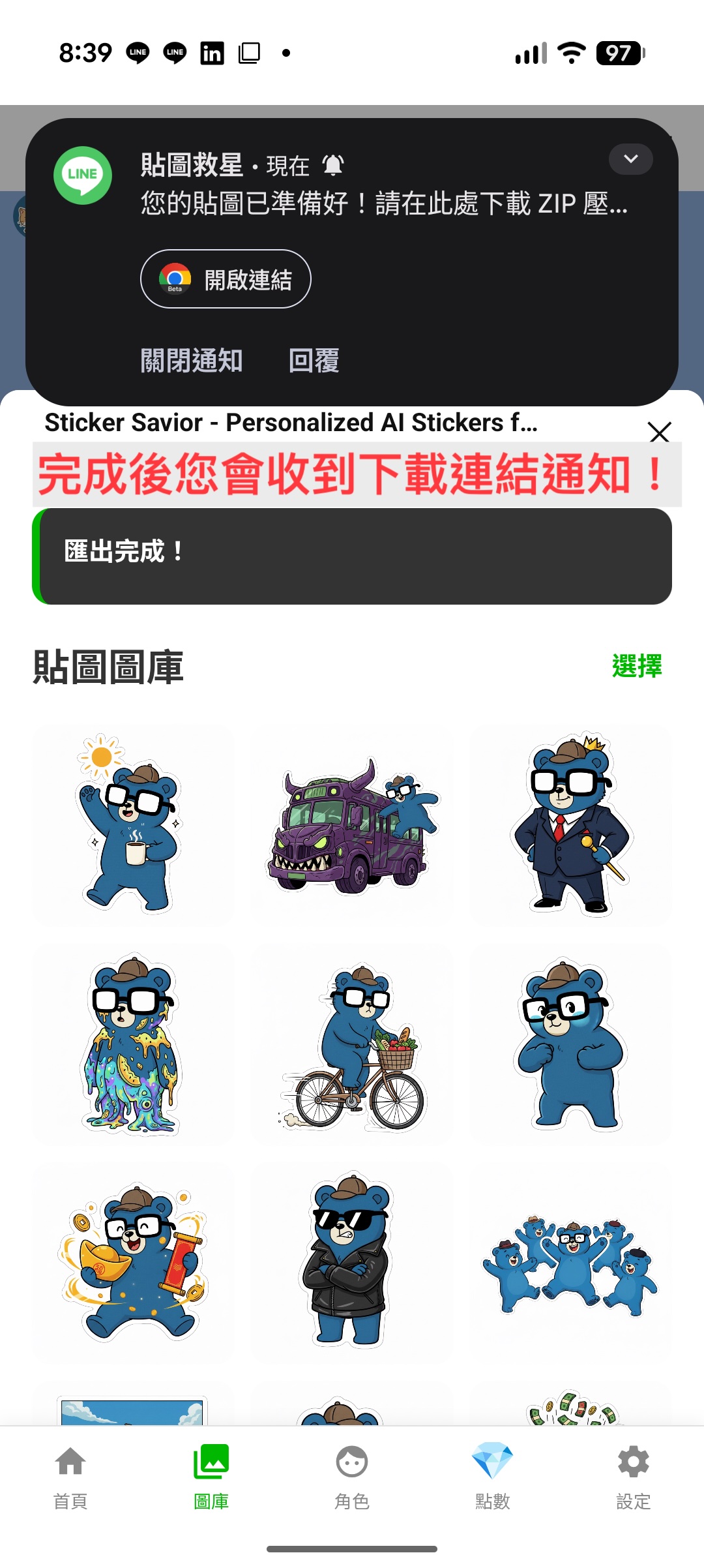
Tap 'Gallery' in the bottom navigation bar and then tap 'Select' at the top right corner.
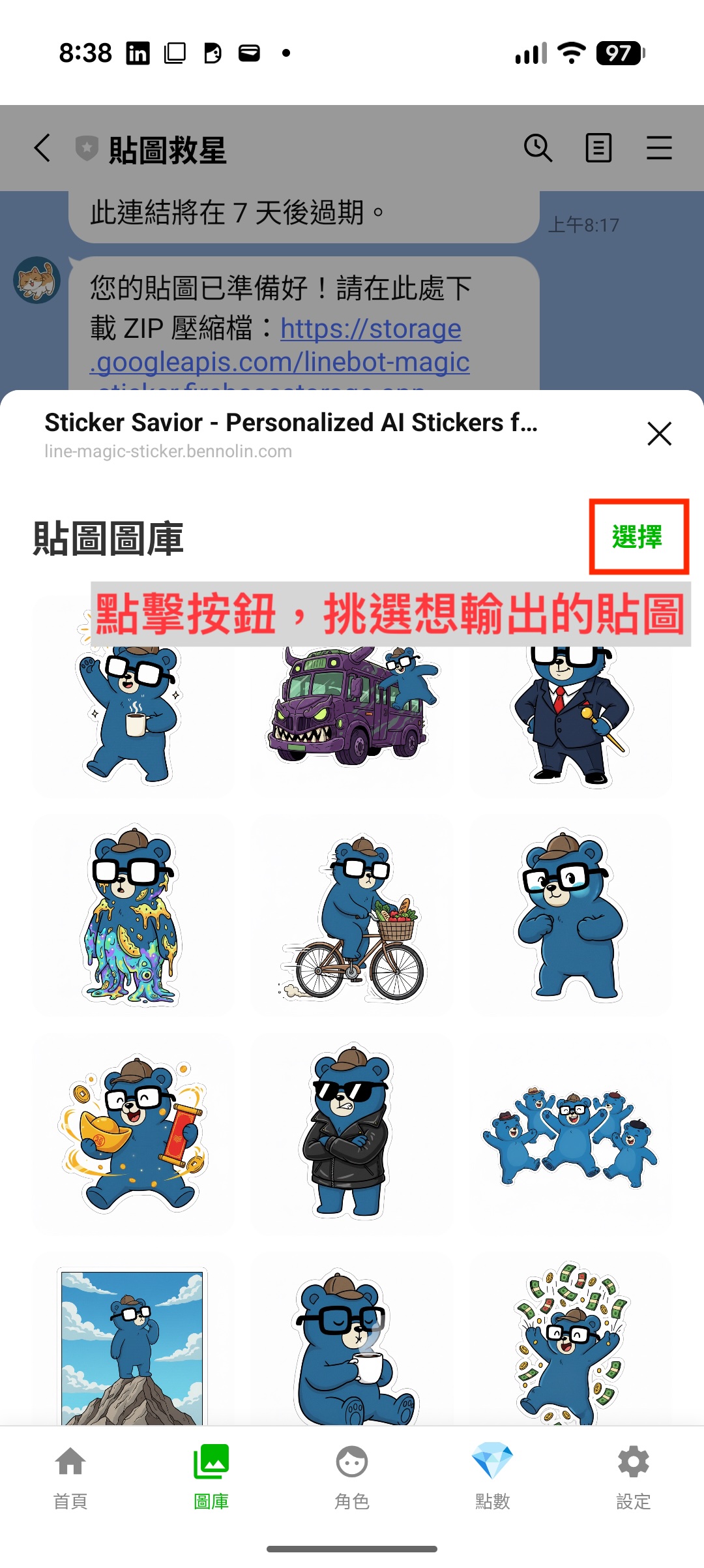
2. Select Stickers
Choose exactly 8 or 16 stickers you want to export.
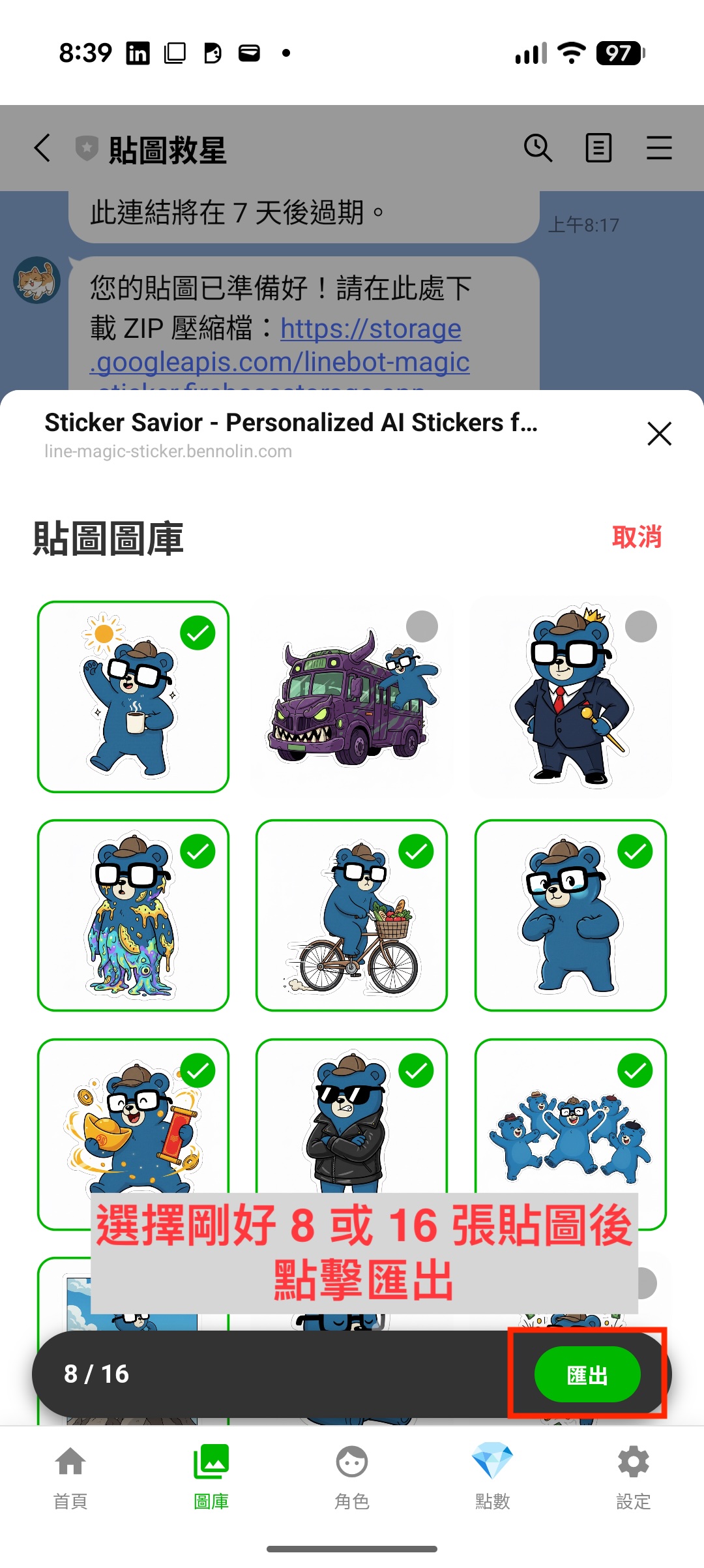
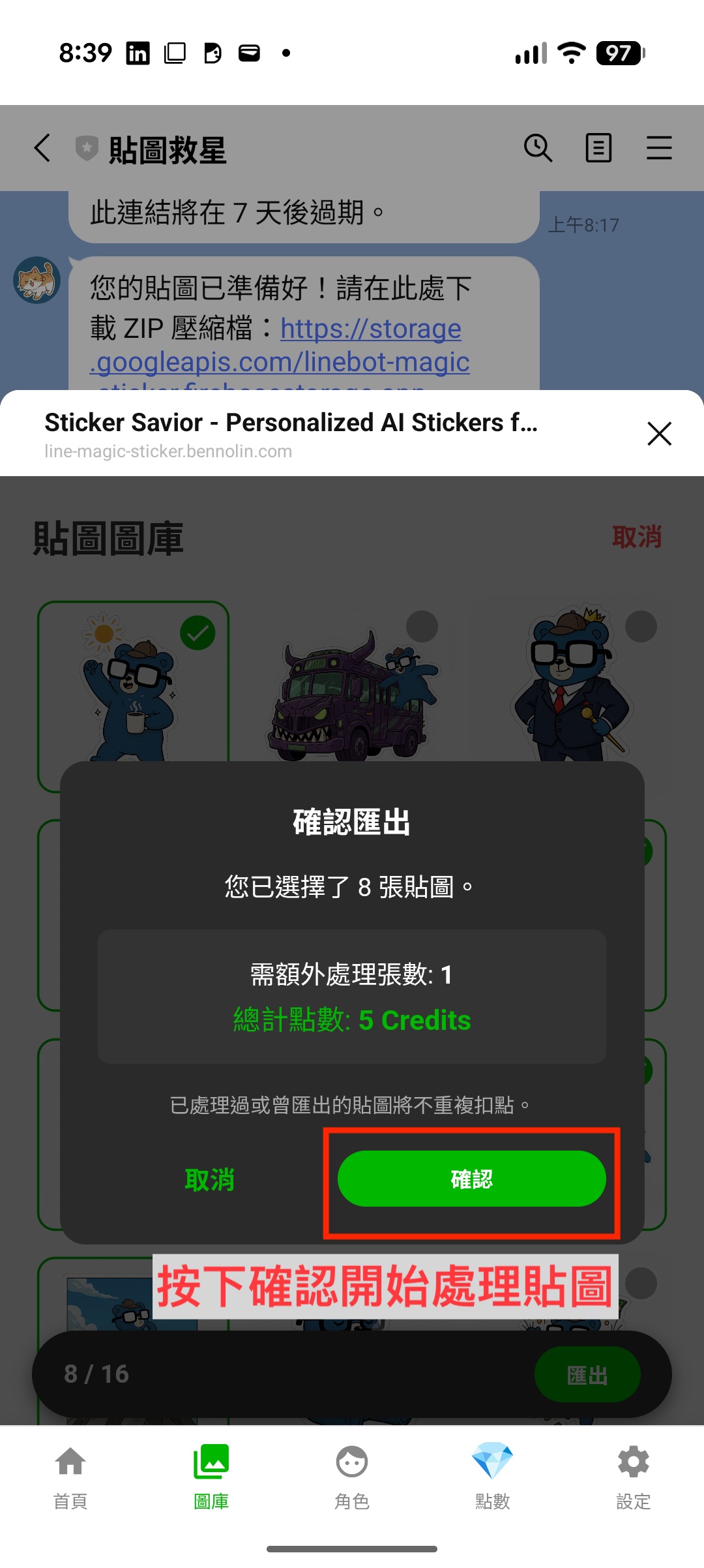
3. Confirm Export
Tap the 'Export' button. Confirm the credit cost (free if already processed).
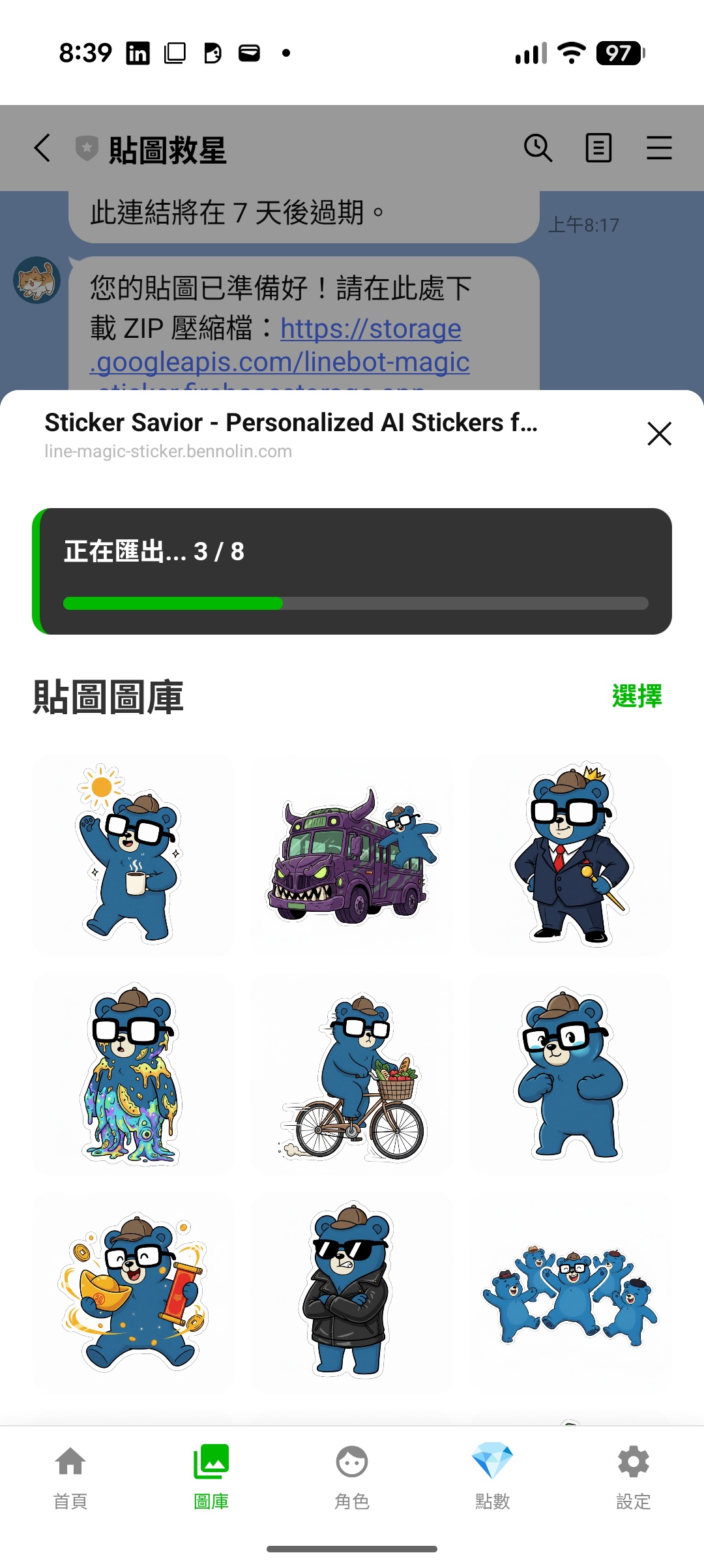
4. Check Export Progress
The export progress will be displayed at the top of the screen. Please wait patiently for 5 to 10 minutes.
5. Download ZIP
Wait for processing. We will notify you via LINE message once the download link is ready.
How do I buy credits?
Go to the 'Credits' tab and select a package. We use 'Buy Me a Coffee' (BMC) for secure payments. After purchase, you will receive a redeem code via email. Enter this code in the app to top up your balance.
How do I upload to LINE Creator Market?
The exported ZIP file is already formatted for submission, no need to unzip. Go to the LINE Creators Market, register/login, and create a new Sticker set. Upload your images following their guidelines.
How do you charge?
We use a credit system. - Image Generation: 5 credits per image. - Smart Reply: 1 credit per reply. - Export: Processing fee (5 credits per new image). Re-exporting processed images is free.